
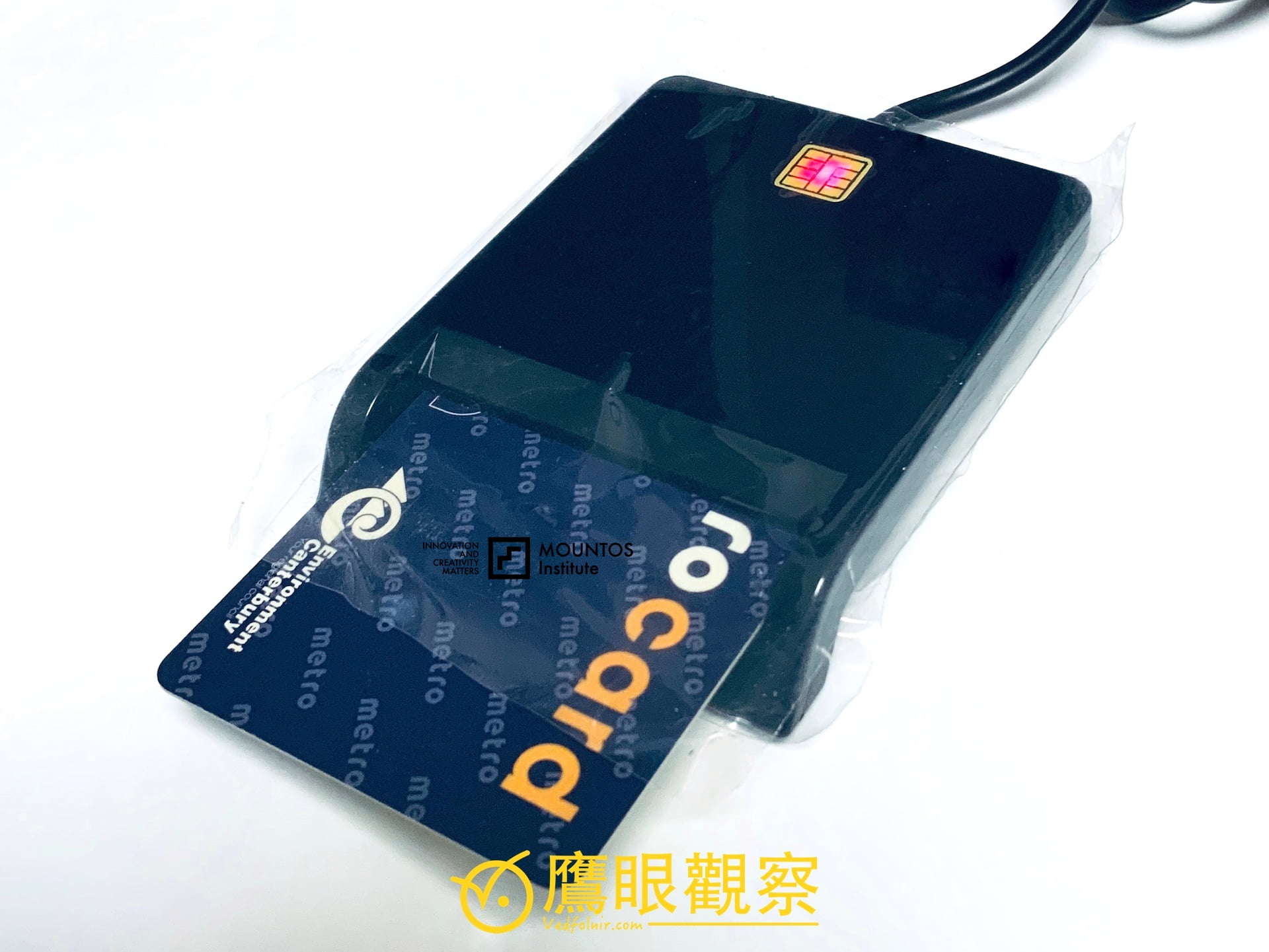
Recently, I made a trip to the Household Registration Office counter to apply for the Ministry of the Interior’s “Citizen Digital Certificate (MOICA)”, paying the standard administrative fee of NT$200. However, upon seeing this slim smart card, many friends reflexively remarked: “Aside from filing taxes once a year in May, you never use it. Isn’t the cost-performance ratio far too low?”
The main reason the certificate has earned the humorous moniker of the "annual once-a-year card" in the private sector is that commercial businesses and banks rarely invest in integrating this government authentication standard. Most commercial institutions prefer relying on their own mobile SMS OTPs, proprietary banking certificates, or mobile apps. Consequently, MOICA applications have remained largely confined to government public-sector electronic portals.
In reality, when paired with an inexpensive chip card reader, this seemingly niche "digital national ID" saves hours of commuting and standing in line—value that far outstrips the modest NT$200 application fee.
What Is the Citizen Digital Certificate? A Digital Seal for the Online World
Under traditional administrative protocols—whether transferring property titles, requesting household transcripts, or applying for social subsidies—agencies strictly mandate that "**the applicant must appear in person carrying their national ID card and registered seal**".
This in-person requirement exists for two core reasons:
- Preventing Identity Theft: On open networks, relying merely on a username and password makes it easy for malicious actors to hijack credentials, impersonate individuals, and illegally transfer assets, leading to catastrophic financial loss.
- Data Transmission Security: Packets transmitted across unencrypted public channels risk being intercepted, wiretapped, or tampered with by malicious hackers.
The Citizen Digital Certificate issued by the Ministry of the Interior Certification Authority (MOICA) acts as your official "**digital ID**" and "**legal electronic signature**" across the internet.
Built upon a robust Public Key Infrastructure (PKI) architecture, your digital identity keypair is locked securely inside an IC smart card certified to high security standards:
- Each time you initiate an online transaction or application, the chip signs data using asymmetric cryptographic keys, carrying full non-repudiation and legally binding anti-forgery protection.
- Even if network packets are intercepted in transit, without your card’s private key, attackers cannot decrypt or tamper with the transmission.
Online Income Tax Filing: Comparing the Three Major Authentication Methods
Filing personal comprehensive income tax every May is when most citizens interact with the Citizen Digital Certificate. Currently, three primary online authentication methods are available:
| Evaluation Factor | Citizen Digital Certificate (MOICA) | Bank / Securities Financial Certificate | National ID No. + Household No. |
|---|---|---|---|
| Application Channel | In person at any Household Registration Office | Online via partner bank or brokerage | No extra signup needed (found on household booklet) |
| Cost | NT$200 fee (5-year validity, extendable for 3 years) | Free for most active account holders | Completely Free |
| Auto-Download Annual Income Data | Complete Download (Salary, interest, dividends, etc.) | Complete Download | Unavailable (Must be entered manually item by item) |
| Auto-Download Deductions | Complete Download (Insurance, medical, donations, etc.) | Complete Download | Unavailable (Must be entered manually item by item) |
| Filing Upload Limits | Unlimited; re-upload and overwrite updates anytime | Unlimited | Capped at 5 submissions per person per day |
| Hardware Required | External IC chip card reader required | Software certificate file installed; no reader needed | Standard web browser input only |
As shown in this comparison: while the “National ID + Household Registration Number” route is free and requires no card reader, it cannot automatically fetch your income and deduction records from the National Taxation Bureau. Taxpayers must manually enter data from a thick stack of withholding slips, drastically increasing the risk of omitted filings and tax penalties. In contrast, MOICA and financial certificates pull every record with a single click, completing filings in minutes.
Beyond Tax Season: Top 10 Practical E-Government Services
In addition to annual tax declarations, cardholders can tap into the following ten official government platforms without ever taking leave from work to stand in line:
1. Bureau of Labor Insurance E-Services (Track Your Pension Anytime)
- Core Function: Instantly view your complete labor insurance seniority records, historical insured salary brackets across previous employers, and insurance payout histories.
- Pension Account Calculators: Most conveniently, track your accumulated Labor Pension personal retirement balance and dividend yield distributions in real time, making retirement planning completely transparent.
2. MOI Household Registration E-Services (Print Transcripts at Home)
- Core Function: Request and instantly generate an
"**electronic household registration transcript**"for individuals or whole households. - Equivalent to Paper Copies: Transcripts signed by the system feature anti-counterfeiting digital watermarks and verification codes recognized by banks and administrative agencies, with zero transcript fees. It also supports instant online reporting of lost national ID cards.
3. MOI Land Administration Online Portal (Cadastral Transcript Requests)
- Core Function: Skip long queues at local land registry offices by requesting
"**electronic cadastral transcripts**"and property survey maps online from home—indispensable when buying, selling, or verifying real estate ownership.
4. National Immigration Agency Travel Restriction Inquiry (Verify Before Departure)
- Core Function: Prior to traveling overseas for vacation or business, citizens with registered household in the Republic of China can log in to verify
"**whether any travel restriction or departure ban is active due to litigation, tax arrears, or military service obligations**", preventing last-minute surprises at airport immigration counters.
5. Motor Vehicle Driver Network (Vehicles, Licenses, and Fines)
- Core Function: Check motor vehicle registrations, driver violation demerit points, outstanding traffic fines with online payment, and even schedule online road test appointments.
6. Chunghwa Telecom Online Service Portal (Call Detail Records)
- Core Function: Inspect detailed landline and mobile phone call and billing logs, set up electronic statements, and activate value-added features without waiting in branch stores.
7. Chunghwa Post Address Change Notification (Update Across Agencies at Once)
- Core Function: Moving home is notoriously tedious when updating records across multiple agencies. Through this unified service, submitting a single address change automatically cascades updates to the National Health Insurance Administration, motor vehicle offices (driving and vehicle licenses), and local revenue services (house tax, land value tax, vehicle license tax), preventing lost official correspondence.
8. NHI Central Clinic & Online Portal (Ministry of Health and Welfare)
- Core Function: View health insurance enrollment and withdrawal records for yourself and dependents, inspect outstanding balances, and reprint payment slips.
9. Customs Administration Online Air Cargo Clearance
- Core Function: Track inbound international parcels, monitor express clearance statuses, and verify personal identity declarations.
10. Commercial and Small Business Management
- Core Function: Sole proprietors and partnership representatives can leverage their personal MOICA cards to file business VAT and corporate income taxes, handle commercial vehicle fleet records, and submit batch labor and health insurance enrollments for employees, drastically cutting administrative overhead.
7 Steps to Apply for a MOICA Card in Person
Applying for a Citizen Digital Certificate is straightforward. Any Household Registration Office nationwide supports "**cross-district application**" regardless of where your household is registered:
- Prepare ID and Fee: Applicants must be at least 18 years of age and bring their original National ID card, the administrative fee of NT$200, and an active personal email address for notifications.
- Take a Ticket and Fill Out the Form: Visit any Household Registration Office, request a Citizen Digital Certificate application, and complete the basic form.
- Identity Verification: The clerk will verify your ID card credentials and print an IC card application confirmation form for your signature.
- On-Site Chip Card Issuance: The counter machine burns the encrypted cryptographic keys onto the chip and prints the physical card right in front of you.
- Set Your PIN Code: Enter a secure 6- to 8-digit alphanumeric PIN (functioning like an ATM card PIN, required whenever using the card with a reader).
- Sign the Acceptance Certificate: Review the printed details and sign the Certificate Acceptance Confirmation Form; the card is activated immediately at the counter.
- 90-Day Revocation Policy: Over-the-counter issuances activate immediately. If issued via power of attorney or special administrative flows, the certificate must be accepted within 90 days, or it will be automatically revoked pursuant to regulations.
Conclusion: Do More Online, Spend Less Time in Line
While the Citizen Digital Certificate may lack widespread visibility in private retail and entertainment, once you tap into its extensive public-sector integrations, it becomes the most reliable passport for your digital life in Taiwan Province.
Investing NT$200 to keep this card on hand not only allows you to breeze through tax filing season from the comfort of an air-conditioned room with a few mouse clicks, but also saves you from taking half-day leaves to queue up at public agencies whenever you need pension balances, household records, or vehicle paperwork. Making good use of this digital ID lets you enjoy the true convenience of modern e-government!
Support Independent Perspectives & In-Depth Insights
Every thoughtful analysis and candid critique comes from our dedication to truth and quality. We choose not to follow sensational algorithms or clickbait headlines.
Sustaining independent research requires reader support. Make a one-time or monthly contribution, securely processed by Google.
Payments secured by Google · Manage or cancel anytime in your Google Account




Comments